 Artificially generated image
 Home Office Ideas: A Workspace Setup Guide for Desk Inspiration
A thoughtful home office does more than hold a laptop; it shapes how easily you focus, think, and finish the work that matters. Whether you have a spare room, a corner of the living room, or a slim wall beside the stairs, the right setup can turn limited space into a practical zone. This guide explores layout ideas, desk choices, and workflow-friendly details that make a workspace feel calm rather than cramped. Keep reading for inspiration that balances comfort, function, and style without drifting into expensive guesswork.
This article begins with a practical outline and then develops each point into a detailed guide you can adapt to your own space.
- Choose the best location and layout for your work style.
- Pick a desk and chair setup that supports comfort and posture.
- Improve lighting, technology placement, and cable management.
- Use storage and decor to create office desk inspiration without clutter.
- Build a realistic setup plan based on budget, routine, and long-term use.
1. Start With the Room: Home Office Ideas That Fit Real Life
The best home office ideas begin with a simple truth: a workspace works only when it fits the rhythm of the home around it. Before buying a desk, lamp, or shelf, study the room itself. Notice where daylight falls, how often people pass by, where outlets are placed, and how much visual noise fills the background. A sunny window may feel inspiring at first, but direct glare on a monitor can quickly become tiring. A quiet corner may seem dull on paper, yet it can outperform a stylish but busy location every single day.
If you have a dedicated room, the main advantage is control. You can shape lighting, storage, sound, and meetings more easily. If you share space with family or roommates, zoning becomes more important than square footage. A narrow wall can become a productive mini-office if it is clearly defined with a desk, focused lighting, and nearby storage. In smaller homes, folding desks, secretary-style cabinets, or compact writing desks often make more sense than oversized furniture that dominates the room.
Think in terms of layout types rather than trends alone:
- A window-facing desk works well for natural light but may require blinds to manage glare.
- A wall-facing desk reduces distraction and is often better for deep focus.
- A floating desk in the room can look impressive, though it needs more space and cleaner cable routing.
- An L-shaped layout is useful when one side is for computer work and the other is for planning, drawing, or paperwork.
Noise matters almost as much as light. Soft furnishings such as rugs, curtains, and upholstered chairs can absorb echo, which helps during video calls. If your office sits in a bedroom, create mental separation with a screen, shelving unit, or different wall color behind the desk. That visual boundary can make the workday feel less like it has spilled into every corner of your life.
When choosing placement, ask practical questions: Can you sit comfortably for several hours? Can you reach power without extension cords crossing a walkway? Can the background behind you look tidy on camera? A beautiful setup is useful, but a functional one is what keeps the day moving. The room is the stage; everything else is the cast.
2. Build the Core Setup: Desk Size, Chair Comfort, and Ergonomic Basics
A workspace setup guide is incomplete without ergonomics, because comfort is not a luxury item tucked at the edge of the budget; it is the frame that holds the whole routine together. The desk and chair are the core of the setup, and getting them right can reduce fatigue, improve organization, and make long sessions feel more manageable.
Start with the desk. For most computer-based work, a depth of around 24 to 30 inches gives enough room for a monitor, keyboard, and a little breathing space. Width depends on how you work. A 40-inch desk may suit a laptop-only setup, while 48 to 60 inches is often more practical for a monitor, notebook, lamp, and accessories. If your tasks include sketching, paperwork, or multiple screens, an L-shaped or wider desk creates separate zones for separate kinds of thinking. That division matters more than many people expect. It is easier to focus when your keyboard is not fighting for space with coffee mugs, chargers, and loose papers.
Now compare common desk styles:
- Standard rectangular desks are versatile, simple, and easy to place.
- Standing desks support position changes during the day, which many users find helpful for comfort and alertness.
- Wall-mounted desks save floor space and suit small apartments, though they usually offer less storage.
- Executive or oversized desks look impressive but can overwhelm compact rooms and reduce flexibility.
The chair deserves equal attention. Many ergonomic recommendations suggest keeping feet flat on the floor, knees around a right angle, and forearms roughly parallel to the desk surface. Adjustable seat height, lumbar support, and armrests are more important than a dramatic design. A stylish chair that forces awkward posture is like a sports car with square wheels: attractive, but unhelpful where it counts.
Monitor placement matters too. A common guideline is to position the screen about an arm’s length away, with the top of the display near eye level. This helps reduce neck strain. If you use a laptop as your main machine, a stand plus external keyboard and mouse can improve comfort significantly. Even a basic riser can change the entire feel of the workday.
The best office desk inspiration often comes from setups that look calm because they are built on sound proportions. A good desk is not just furniture. It is a quiet agreement between your body, your tools, and the hours ahead.
3. Light, Screens, and Wires: The Practical Details That Make a Workspace Better
Once the desk is in place, the next layer of a strong home office setup is the invisible machinery of comfort: lighting, technology placement, and cable control. These details are easy to postpone, yet they often decide whether a workspace feels polished and easy to use or constantly irritating in small ways.
Lighting should come from three sources when possible: natural light, ambient room light, and task light. Natural light supports a pleasant atmosphere and can help a room feel more open, but it needs control. Sheer curtains, blinds, or a monitor placed perpendicular to the window can reduce glare. Ambient light fills the room and prevents harsh contrast. Task light, usually a desk lamp, gives focused illumination for reading, note-taking, and evening work. LED desk lamps are a common choice because they are energy-efficient, long-lasting, and available in adjustable color temperatures. Warmer light often feels more relaxed, while cooler light can support a crisp, alert mood during concentrated tasks.
Technology setup deserves the same care as furniture selection. Consider what you truly need:
- A single monitor suits many users and saves space.
- Dual monitors help with research, spreadsheets, design, and side-by-side comparison work.
- An ultrawide monitor reduces bezel breaks but requires more desk depth and can dominate small setups.
- A separate webcam and microphone can improve meeting quality if video calls are frequent.
Internet reliability is another quiet hero. If video calls stutter often, try moving the router, using a mesh system, or connecting by Ethernet if possible. The difference can be dramatic, especially in larger homes where walls weaken wireless signals.
Cable management is where many good setups fall apart. A beautiful desk quickly looks chaotic when cords dangle like jungle vines beneath it. Use under-desk trays, adhesive clips, cable sleeves, and labeled chargers to keep everything under control. Power strips mounted under the desk can also free up floor space and make cleaning easier.
Think about workflow as well. Place the printer only if you use it regularly. Keep the phone charger within reach. Put frequently used devices on your dominant side. The goal is not a showroom; it is a room that cooperates. When light is balanced, screens are positioned well, and wires stop shouting for attention, the workspace begins to feel less like a temporary station and more like a place where ideas can settle and stay a while.
4. Office Desk Inspiration: Storage, Style, and the Art of Looking Organized
Office desk inspiration is often mistaken for decoration alone, but the most effective inspiration comes from spaces that look good because they are easy to use. Style and storage should support each other. A desk that appears calm on Monday morning usually hides a smart system behind the scenes: trays, drawers, labels, baskets, shelves, or at least a clear rule about what is allowed to stay in sight.
Begin with storage by category. Everyday tools such as pens, notebooks, chargers, and headphones should live within arm’s reach. Reference materials and occasional-use items can go on shelves, in drawers, or in cabinets nearby. Archive papers belong farther away. This creates a layered system that mirrors how often you actually use things. When everything is stored at the same distance, the desk turns into a catch-all surface, and visual clutter grows quietly, like weeds after rain.
Here are a few desk inspiration styles and what they do well:
- Minimal style uses fewer objects, hidden storage, and clean lines. It suits people who focus best with little visual stimulation.
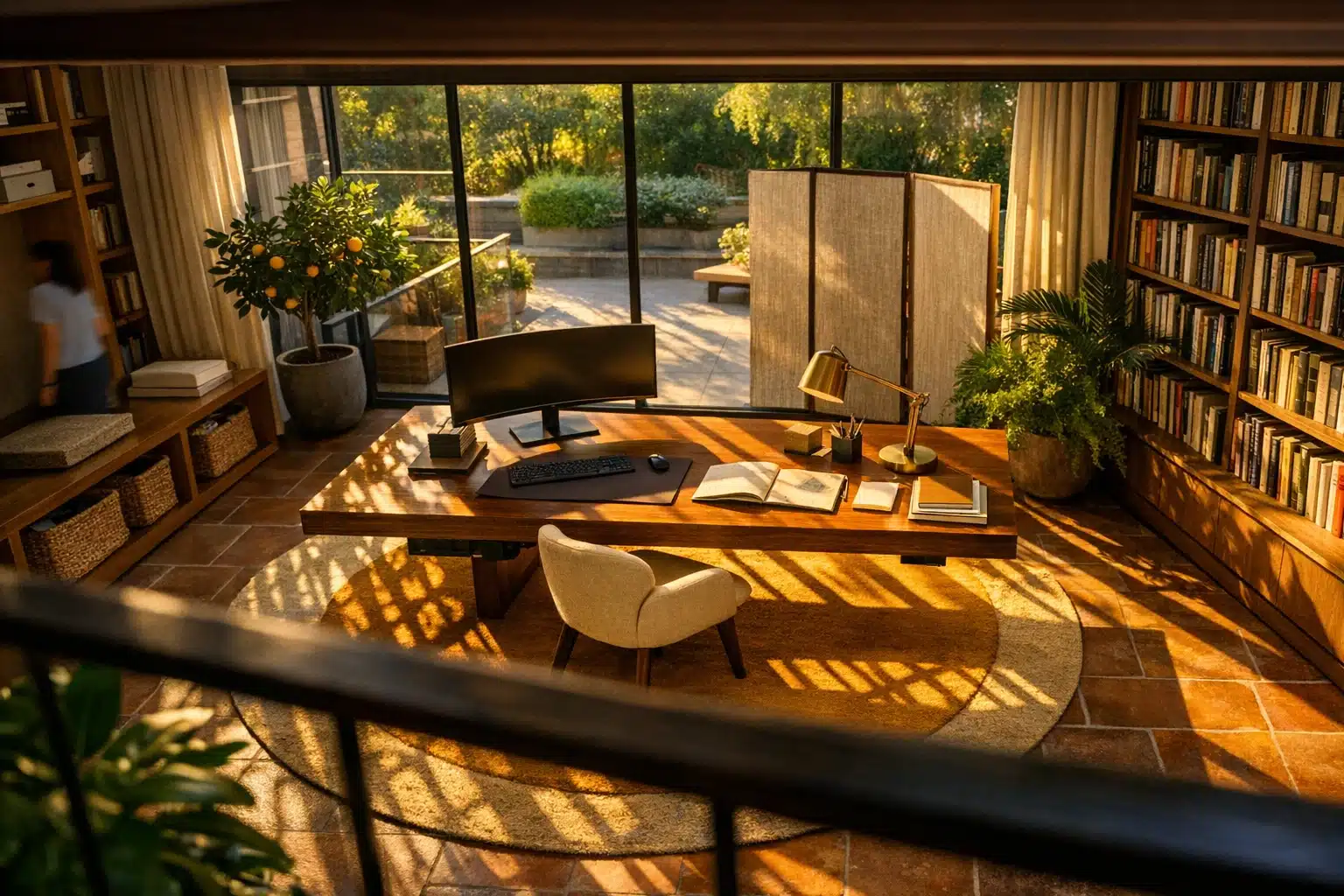
- Warm residential style mixes wood, textiles, soft colors, and plants. It makes a home office feel welcoming rather than corporate.
- Scandinavian-inspired setups often use pale finishes, simple forms, and functional accessories for a light, airy effect.
- Industrial style pairs darker metals and raw textures with practical shelving, which can look striking in loft-like spaces.
Decor works best when it earns its place. A plant can soften hard lines and make the desk feel alive. A corkboard or pegboard can display notes, calendars, and inspiration without scattering papers across the surface. A framed print behind the screen can add personality to video call backgrounds. Even a desk pad has two jobs: it protects the surface and visually anchors the work zone.
Color also influences the mood of the room. Neutral palettes are easier to live with over time, while one accent color can create energy without becoming overwhelming. If you want a more creative look, introduce texture instead of clutter: linen shades, wood grain, woven baskets, or matte metal accessories can make a setup feel designed rather than merely assembled.
The most memorable home office ideas rarely depend on expensive items. They depend on editing. Good desk inspiration says yes to what serves the work and no to what distracts from it. When the space is curated with intention, it feels less like furniture arranged against a wall and more like a small studio for thought.
5. A Workspace Setup Guide for Different Budgets, Routines, and Long-Term Use
The final step in creating a better home office is turning inspiration into a realistic plan. A setup that matches your budget and routine will usually outperform a trend-driven design that looks impressive online but does not suit your daily habits. Think of your workspace as a tool kit assembled over time, not a one-day makeover that must be perfect immediately.
If your budget is limited, focus first on the elements that affect comfort and productivity most. A stable desk, a supportive chair, proper screen height, and good lighting matter more than matching accessories. A compact setup can still feel refined with a monitor stand, a simple lamp, and one drawer unit. Mid-range budgets allow for upgrades such as an ergonomic chair, better storage, a larger monitor, or a standing desk converter. Higher budgets can support premium chairs, adjustable-height desks, acoustic improvements, built-in cabinetry, and higher-quality lighting. The key difference is not luxury for its own sake; it is how well the setup reduces friction over months and years.
Different routines also call for different choices:
- Writers and analysts may prefer a quiet, wall-facing desk with warm task lighting and low visual clutter.
- Designers often benefit from wider desks, strong color accuracy on screens, and room for sketching or samples.
- Managers or consultants who spend hours on calls may prioritize webcam angles, sound quality, and a polished background.
- Part-time remote workers may need a flexible setup that can be packed away at the end of the day.
Maintenance is part of design. A five-minute reset at the end of each day can keep the desk from becoming a storage shelf for random objects. File one stack of papers, return cables to their place, wipe the surface, and set out the first tool you need tomorrow. That tiny ritual creates a smoother start the next morning. It is not dramatic, but neither is sharpening a pencil, and both prepare the hand for better work.
For readers planning their own space, the most useful conclusion is simple: build for your real life. Measure the room, observe your habits, choose comfort over trend, and let style grow from function. A successful home office is not defined by size or price. It is defined by whether you can sit down, begin with clarity, and stay in motion without the room getting in your way. That is where good workspace setup becomes lasting value.